



Guide to Bernina ARTlink 9 Embroidery Software
Guide to Bernina ARTlink 9 Embroidery Software Embroidery is much more enjoyable when you have the right tools to organize, preview, and prepare your designs. If you’ve recently started machine...

Guide to Bernina ARTlink 9 Embroidery Software
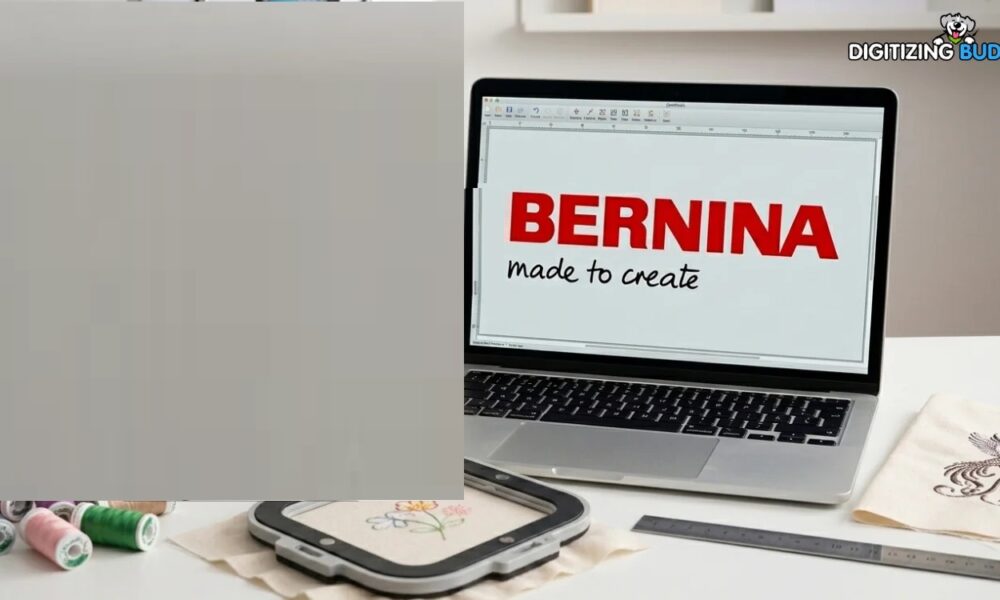
Embroidery is much more enjoyable when you have the right tools to organize, preview, and prepare your designs. If you’ve recently started machine embroidery or want an easier way to manage embroidery files, this guide to Bernina ARTlink 9 embroidery software will help you understand everything you need to know.
Table Of Content
- Easy Design Viewing
- Multiple Viewing Options
- File Conversion Support
- Design Organization
- Basic Design Information
- Step 1: Install the Software
- Step 2: Import Your Designs
- Step 3: Preview Your Design
- Step 4: Transfer the File
- Organize Files by Category
- Always Preview Before Stitching
- Keep Backup Copies
- Use High-Quality Design Files
- 1. What is Bernina ARTlink 9 embroidery software used for?
- 2. Is Bernina ARTlink 9 suitable for beginners?
- 3. Can I organize my embroidery designs with ARTlink 9?
- 4. Does ARTlink 9 create embroidery designs from artwork?
- 5. Why choose Digitizing Buddy for embroidery digitizing?
Whether you’re opening embroidery files, resizing designs within supported limits, or preparing them for stitching, this software makes the process simple. In this article, we’ll explore its features, benefits, practical uses, and helpful tips so you can get the most from your embroidery projects.
What Is Bernina ARTlink 9 Embroidery Software?
This guide to Bernina ARTlink 9 embroidery software begins with the basics.
ARTlink 9 is embroidery file management software designed to help users view, organize, and prepare embroidery designs before sending them to an embroidery machine. It’s especially useful for hobbyists and small embroidery businesses looking for a straightforward workflow.
Instead of editing every stitch manually, the software focuses on making embroidery file handling easier and more efficient.
Key Features of Bernina ARTlink 9 Embroidery Software
The software includes several practical tools that simplify embroidery preparation.
Easy Design Viewing
You can quickly open embroidery files and preview how a design will look before stitching.
This helps catch obvious issues before starting your embroidery project.
Multiple Viewing Options
The software allows you to examine designs from different perspectives, making it easier to inspect details and stitch placement.
File Conversion Support
Managing multiple embroidery file formats becomes much easier.
Depending on the supported formats, you can prepare files for compatible embroidery machines without complicated steps.
Design Organization
As your embroidery library grows, staying organized becomes increasingly important.
The software lets you:
- Browse embroidery collections
- Sort designs into folders
- Locate files quickly
- Keep projects organized
A well-organized library saves time during every embroidery project.
Basic Design Information
Before stitching, you can review important design details, including:
- Stitch count
- Design dimensions
- Color sequence
- Hoop compatibility (where supported)
Knowing these details helps avoid surprises during production.
Why Embroiderers Like ARTlink 9
Many embroidery enthusiasts appreciate software that’s easy to learn.
Some of its biggest advantages include:
- Beginner-friendly interface
- Quick file previews
- Simple navigation
- Efficient file management
- Helpful project organization
Rather than overwhelming users with advanced editing tools, it focuses on everyday embroidery tasks.
How to Get Started
If you’re new to embroidery software, getting started is straightforward.
Step 1: Install the Software
Download the software from the official source and complete the installation following the on-screen instructions.
Step 2: Import Your Designs
Open your embroidery files and create folders for different project types.
For example:
- Business logos
- Monograms
- Holiday designs
- Children’s embroidery
- Custom artwork
Keeping everything organized makes future projects much easier.
Step 3: Preview Your Design
Before transferring your file, review:
- Design size
- Stitch order
- Color changes
- Overall appearance
A quick preview helps prevent stitching mistakes.
Step 4: Transfer the File
Once everything looks correct, transfer the embroidery design to your compatible embroidery machine using the supported transfer method.
Helpful Tips for Better Results
Following a few simple habits can improve your embroidery workflow.
Organize Files by Category
Create folders based on design type or customer projects.
Finding the right file becomes much faster.
Always Preview Before Stitching
Even if you’ve used a design before, reviewing it helps catch accidental changes.
Keep Backup Copies
Save your embroidery library on an external drive or cloud storage.
This protects your work if your computer experiences problems.
Use High-Quality Design Files
A clean embroidery file often produces smoother stitching with fewer interruptions.
Good file quality saves time during production.
Common Uses for ARTlink 9
This guide to Bernina ARTlink 9 embroidery software wouldn’t be complete without discussing where it shines.
It’s commonly used for:
- Personal embroidery projects
- Home embroidery businesses
- School apparel
- Company uniforms
- Gift embroidery
- Hobby crafting
- Organizing embroidery collections
Its simple workflow makes it useful for both beginners and experienced embroiderers.
When You May Need Professional Digitizing
While ARTlink 9 helps manage embroidery files, creating high-quality embroidery designs still requires expert digitizing.
Professional digitizing is especially valuable for:
- Company logos
- Small lettering
- Detailed artwork
- Specialty fabrics
- Complex embroidery designs
At Digitizing Buddy, experienced digitizers create embroidery-ready files that stitch cleanly and accurately, helping customers achieve professional-quality embroidery from the start. Discover how AI-based embroidery digitizing improves speed, accuracy, and design quality. Learn its benefits, limitations, and expert tips from Absolute Digitizing.Discover how AI-based embroidery digitizing improves speed, accuracy, and design quality. Learn its benefits, limitations, and expert tips from Absolute Digitizing.
Best Practices for Smooth Embroidery Projects
To get consistent results:
- Start with high-quality artwork.
- Check design dimensions before stitching.
- Match the correct hoop size.
- Test stitch important designs.
- Keep your embroidery files organized.
- Back up your design library regularly.
These simple habits can save time, reduce errors, and improve finished embroidery quality.
Conclusion
This guide to Bernina ARTlink 9 embroidery software shows why it’s a helpful tool for organizing, previewing, and preparing embroidery designs. Its straightforward interface and practical features make it an excellent choice for embroidery enthusiasts who want a smoother workflow without unnecessary complexity.
While file management software simplifies many tasks, professional digitizing remains essential for creating clean, production-ready embroidery designs. At Digitizing Buddy, expert digitizing services help ensure your designs stitch beautifully, allowing you to focus on creating outstanding embroidery projects.
Frequently Asked Questions (FAQs)
1. What is Bernina ARTlink 9 embroidery software used for?
It is primarily used to view, organize, preview, and prepare embroidery design files before transferring them to compatible embroidery machines.
2. Is Bernina ARTlink 9 suitable for beginners?
Yes. Its simple interface and easy navigation make it a great option for beginners learning embroidery file management.
3. Can I organize my embroidery designs with ARTlink 9?
Yes. The software allows you to sort designs into folders, making it easier to manage large embroidery collections.
4. Does ARTlink 9 create embroidery designs from artwork?
No. It focuses on viewing and managing embroidery files. Creating high-quality embroidery files still requires professional digitizing.
5. Why choose Digitizing Buddy for embroidery digitizing?
Digitizing Buddy provides professionally digitized embroidery files optimized for clean stitching, accurate details, and reliable production results across various embroidery projects.






No Comment! Be the first one.